


Transkriptor - Speech to Text
4.2453.00 Reviews
App Specs
- Version
- 2.2.4
- Updated On
- License
- Free
- Downloads
- 5,000,000+
- Developer
- Tor.App
- Categories
- Productivity
- Platform
- Android, iOS
Screenshots
 Analysis by AppCompare
My first impression of Transkriptor: Speech to Text was that it could save me the small but stubborn effort of turning spoken ideas into usable notes. That appeal is easy to understand in the first week: I can bring audio into a transcription workflow instead of trying to type every sentence while listening. The more important question, though, is whether I would keep reaching for it once the novelty wears off. For me, the answer depends less on the promise of a transcript and more on whether I have a repeatable reason to create one.
A quick start, with a practical purpose
Transkriptor is a productivity app from Tor.App, and its core job is straightforward: help turn speech into text. The first week is most rewarding when I already have a clear source and a clear destination for the words. A recorded discussion can become material to review; a spoken idea can become a draft to edit. If I open the app without knowing what I want to do with the resulting text, the transcript can become one more file to manage rather than a genuine time-saver.
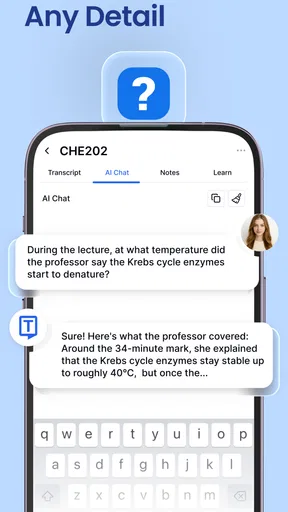
A realistic example is a student who records a lecture, then uses the transcript to find the section they want to revisit while preparing notes. The useful habit is not simply recording everything. It is giving the transcript a job: pull out key terms, check an unclear explanation, or make a short study outline. That extra step is what turns speech recognition into a productivity tool rather than a pile of captured words.
Getting Started with Transkriptor
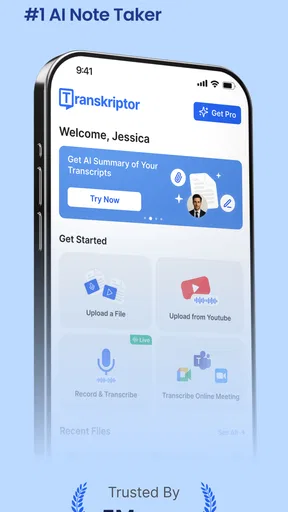
The first thing you’ll notice about Transkriptor is how user-friendly it is. You don’t need to be a tech guru to figure it out. Just download it from the App Store or Google Play, and you’re pretty much good to go. The interface is clean and intuitive, with everything laid out in a way that just makes sense. You can start transcribing right away without any fuss.
Features That Stand Out
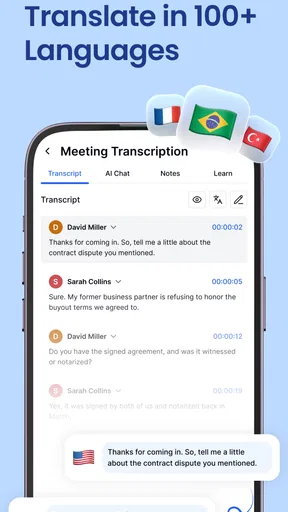
Now, let’s talk about the features, because this app is packed with them. What really caught my eye is its ability to handle multiple languages. So, if you’re working with international content, this app has got you covered. I tested it with a few different languages, and the accuracy was pretty impressive. No more garbled text or awkward translations!
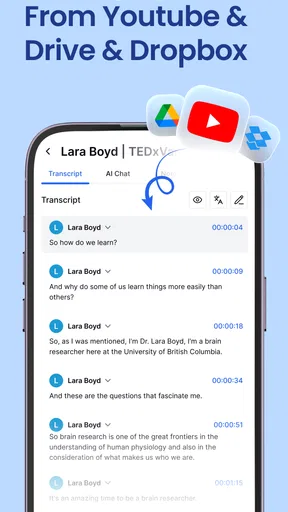
Another cool feature is its integration with cloud services. You can easily upload your audio files from Dropbox or Google Drive, which saves a ton of time. Plus, the app supports a variety of audio formats, so you’re not stuck with just one option. It’s all about convenience, and Transkriptor nails it.
Accuracy and Speed
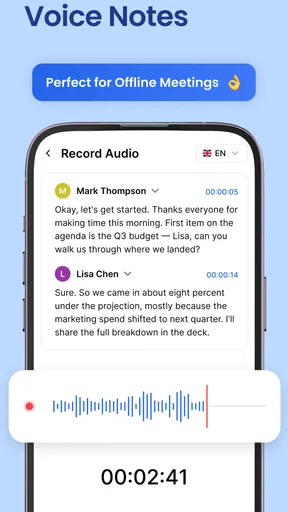
Okay, let’s get to the nitty-gritty: accuracy and speed. Honestly, this is where Transkriptor shines. The app uses advanced speech recognition technology to ensure that your transcriptions are as accurate as possible. I’ve thrown some pretty challenging audio files its way, and it handled them like a pro.
Worth Reading Before You Choose

EA SPORTS FC Mobile 26 Is a Bigger Football Game, but It Takes Time

Flipboard Shows What News Apps Must Do Beyond the Feed

Switching to Android Auto Means Rethinking Your Driving Routine

Google Calendar Makes a Crowded Week Easier to Manage

Ludo King Makes the Most of the Minutes Between Plans

Baby Panda World Brings Quick Play to Modern Phones, but Its Game Library Feels Busy
As for speed, it’s pretty fast. You don’t have to wait around forever to get your text files. Whether you’re transcribing a short voice note or a lengthy podcast, the app processes it quickly and efficiently. It’s perfect for those of us who are always on the go and need results fast.
What makes the workflow stick
My strongest practical tip is to decide how I will use a transcript before I create it. For an interview, that might mean marking the passages I want to quote and checking them against the recording. For a personal voice note, it could mean turning only the useful lines into a task or reminder. This small choice prevents the common trap of collecting long transcripts that never become decisions, notes, or finished work.
Audio quality also affects the value of the result. A clear recording with speakers taking turns is easier to work with than overlapping voices or distant speech. When I can influence the recording, I try to keep the phone close to the main speaker and reduce background noise. I still treat the text as a draft: names, technical terms, and important details deserve a check against the source before I share or rely on them.
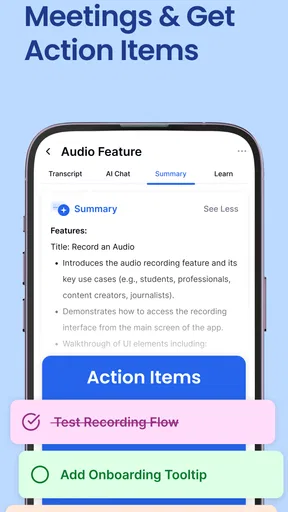
For recurring work, I would keep the process modest. Transcribe only the meetings, interviews, or recordings that I expect to revisit, then extract a short summary or action list while the context is fresh. That is more sustainable than automatically turning every conversation into text. It also makes the app easier to maintain because the output has a purpose and is less likely to become an unmanaged archive.
Real-Life Applications
So, you might be wondering, “How can I actually use this app in my daily life?” Trust me, there are endless possibilities. If you’re a student, you can record lectures and have them transcribed for easy studying. Journalists and writers can dictate ideas on the fly without missing a beat. Even podcasters can use it to transcribe episodes for those who prefer reading over listening.
And let’s not forget about accessibility. For anyone who struggles with typing or has a disability, this app could be a game-changer. It makes content creation and consumption so much more inclusive, and that’s something I truly appreciate.
Where it fits among alternatives
Compared with typing notes by hand, transcription can capture more of a conversation without forcing me to divide my attention between listening and writing. But a typed summary is often better when I need only decisions and next steps; it is shorter, easier to scan, and avoids the work of reviewing a full transcript. A phone’s built-in voice typing can also be enough for a quick thought spoken directly into a message or note. I would choose Transkriptor when I already have audio to process or want a fuller text record, not for every small dictation.
It is also not a substitute for a careful human transcript in situations where exact wording carries serious consequences. If I am preparing a quotation, checking a disputed detail, or handling specialized vocabulary, I would listen back and verify the relevant passage. The time saved on the first draft does not remove the responsibility to proofread it.
Costs, habits, and friction over time
The app is free to install, with in-app purchases ranging from $9.99 to $179.99 per item. I would start with the free experience and pay only if transcription becomes a regular part of my routine and the available paid option fits my actual workload. Occasional users may find that a simpler recording-and-notes habit is enough; frequent users should think about how often they need transcripts before committing to a recurring workflow.
Transkriptor has a 4.3 average from around 46,000 ratings, and it has passed 5 million installs. Those figures suggest that it has found a broad audience, but they do not tell me whether it suits my particular recordings or habits. It is rated for Everyone, and the current version is 2.1.14, with Android 7.0 as the minimum operating system. I would check that my device meets the requirement before installing.
The main long-term friction is not the act of pressing a button; it is the attention required afterward. A transcript can be long, imperfect, and easy to forget if I do not organize or use it. I would also avoid recording conversations without considering other people’s expectations and the rules that apply to the setting. For sensitive or important material, I would think carefully about whether an audio-to-text service is appropriate before putting that recording into any app.
Final Thoughts
In a nutshell, Transkriptor: Speech to Text is a solid app that delivers on its promises. It’s accurate, fast, and packed with features that make transcription a breeze. Whether you’re using it for work, school, or personal projects, it’s a tool that can simplify your life in more ways than one.
If you haven’t tried it yet, give it a go. It’s available for both Android and iOS, so no one’s left out. And who knows? You might just find yourself wondering how you ever managed without it!
My more measured recommendation is to try it with one real recording you already need to process, then judge the result by how much useful work remains. If it helps you find information, produce notes, or move a project forward often enough to justify the review and filing, it can earn a lasting place in a productivity routine. If you mostly need brief reminders, or you rarely revisit recordings, a basic notes app may be the lighter choice. For me, its lasting value comes from selective use: capture speech when listening matters, then turn the words into something actionable.
Pros
- Accurate transcription for various languages.
- Supports multiple audio file formats.
- User-friendly interface and navigation.
- Real-time transcription capability.
- Affordable pricing with free trial options.
Cons
- Limited offline functionality.
- Occasional delays with longer files.
- Requires internet for full features.
- Limited customization for export formats.
- No live customer support chat option.
FAQs for Transkriptor - Speech to Text
What is Transkriptor, and how does it work?
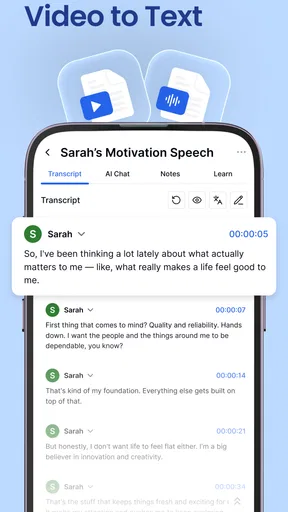
Transkriptor is an app designed to convert spoken words into written text, making it ideal for transcription tasks. It uses advanced speech recognition technology to listen to audio or video files and convert them into text format. This app is beneficial for professionals needing accurate transcription services, including journalists, students, and content creators.
Is Transkriptor compatible with multiple languages?
Yes, Transkriptor supports multiple languages, allowing users to transcribe audio in various languages beyond English. This feature makes it versatile for international users and those working in multilingual environments. The app is continuously updated to include more languages, enhancing its accessibility and usability across different regions.
What are the main features of Transkriptor?
Transkriptor offers several key features, including real-time transcription, audio file uploads, and editable transcripts. Users can pause and resume transcription, ensuring flexible use. The app also provides options to export transcripts in different formats, making it easy to integrate with other tools or platforms for further processing and sharing.
Is Transkriptor user-friendly for beginners?
Absolutely, Transkriptor is designed with simplicity in mind, featuring an intuitive interface that is easy to navigate even for first-time users. The app provides clear instructions and a straightforward workflow, enabling users to start transcribing quickly without needing extensive technical knowledge or training.
What are the limitations of using Transkriptor?
While Transkriptor is a powerful tool, it may encounter challenges with heavily accented speech or background noise, which can affect transcription accuracy. Users may need to manually edit transcripts to ensure precision. Additionally, free versions may have limitations on transcription length or features, necessitating a subscription for full access.


